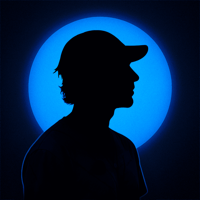
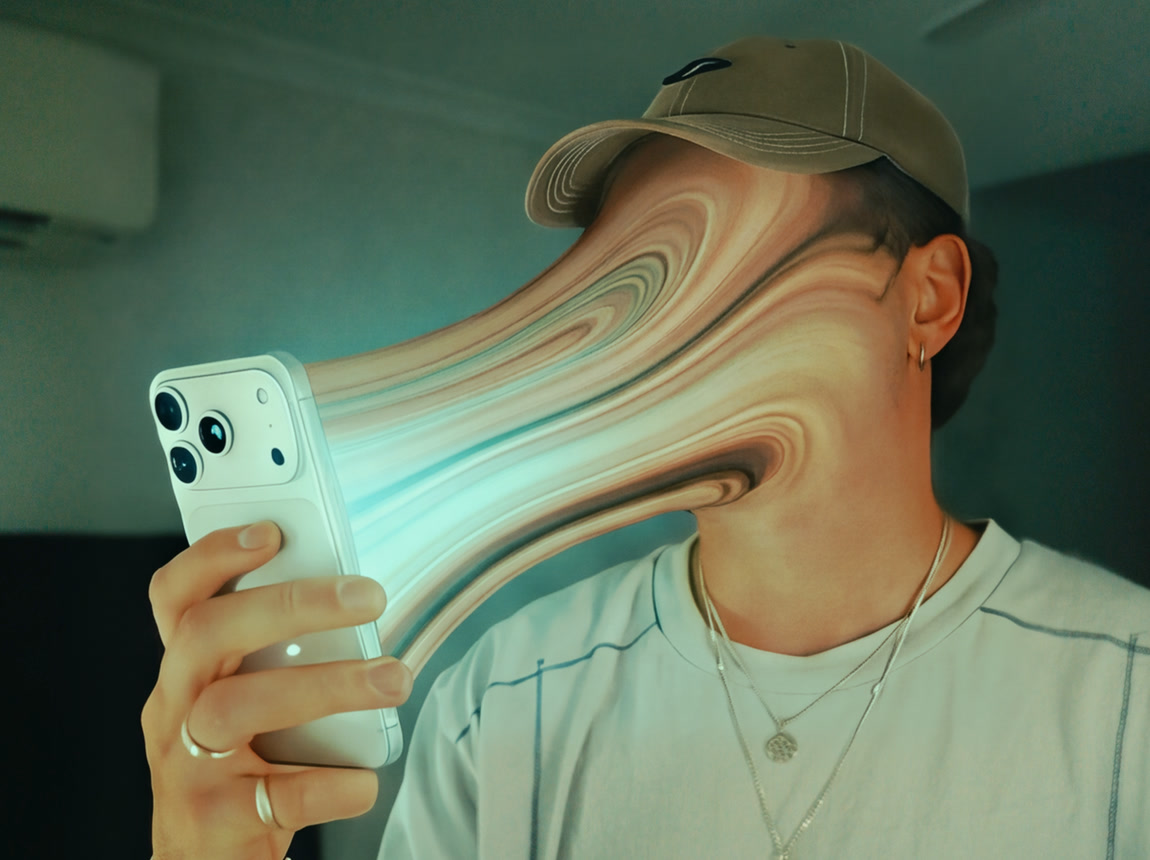
The whole trick is one frame. Get a still where the stretch looks right and the video almost makes itself.
So do the still first, as many times as you need. Stills are cheap to redo. Video isn’t.
01Film it locked off
Tripod, phone up at eye level, hold still for 10 seconds. A side-on or three-quarter angle reads best, the stretch needs air between your face and the phone.
02Make the stretched frame
Edit image 1 only. Image 2 shows a visual effect. Copy the effect onto the person in image 1. Do not copy image 2's person, hat, clothes, phone, room or colours. The effect: the entire front of the person's head is pulled sideways into one thick, smooth ribbon of stretched pixels that travels through the air and pours into the phone they are holding. Where it starts: a soft vertical line just in front of the ear. Everything forward of that line is gone and replaced by the ribbon: forehead, eyebrows, eyes, nose, cheeks, mouth, chin and jawline. No facial features, eyebrows, facial hair or stubble remain anywhere. Only the ear, the hair behind it, the back of the head, the neck and any hat stay sharp. Its shape: as tall as the whole face where it leaves the head, the same thickness along its length, sagging slightly like thick liquid, flaring to cover the full height of the phone where it lands. Its surface: long silky bands like marbled liquid, the person's own skin tones, soft rose, cream and tan, and a bright cyan-white glow from the phone screen running through the core, stronger toward the phone. No black streaks. Keep everything else in image 1 identical: same framing, pose, clothes, hand, phone, room, lighting, colour grade and film grain. Photorealistic. No text, no border.
Pick Nano Banana Pro. Image 1 is a frame from your clip, image 2 is my reference. Run 3 or 4 and keep the best one.
03Animate it
The camera dollies slowly and steadily forward toward the person's head and the phone for the whole shot, so they grow gradually larger in frame. Smooth, no shake, no cuts, no rotation. The person stands completely still: body, arm, hand, phone and clothes do not move. The only living thing in the frame is the thick marbled ribbon of their stretched face running into the phone. It flows continuously toward the phone like thick liquid being sucked into the screen: its marbled bands slide and swirl along its length like stirred paint, while the ribbon ripples, bulges, sags and wobbles in slow waves like stretched taffy. The glow from the phone screen pulses softly through its core. It stays matte and fleshy, never metal or chrome. It always covers the whole face, stays attached to the head and the phone, never breaks, and the face never reforms: no eyes, eyebrows, nose or mouth ever appear. The room stays still. Keep the exact colours of the image: same colour grade, same contrast, same light and film grain. Do not add contrast, saturation or vignette. Photorealistic. No text, no captions.
Kling 3.0, image to video, 9:16, 5 seconds, audio off. Test at 1080p, only go 4K on the take you’re keeping.
04Cut it in Premiere
Put your real clip first and cut on the frame where the two match. Whip transition over the cut, bass hit underneath.
The short version
One locked-off clip, side-on, phone up.
Nano Banana Pro with my frame as image 2. Redo the still until it’s right.
Kling 3.0 animates it. Tell it what stays still.
Cut real to AI on the matching frame.
Spend your time on the still. The video only moves what you give it.
Grab a frame from any clip where you’re holding your phone and run prompt 02 on it tonight.
If the face is fully gone in the still, you’re 90% there.